

Radio Log
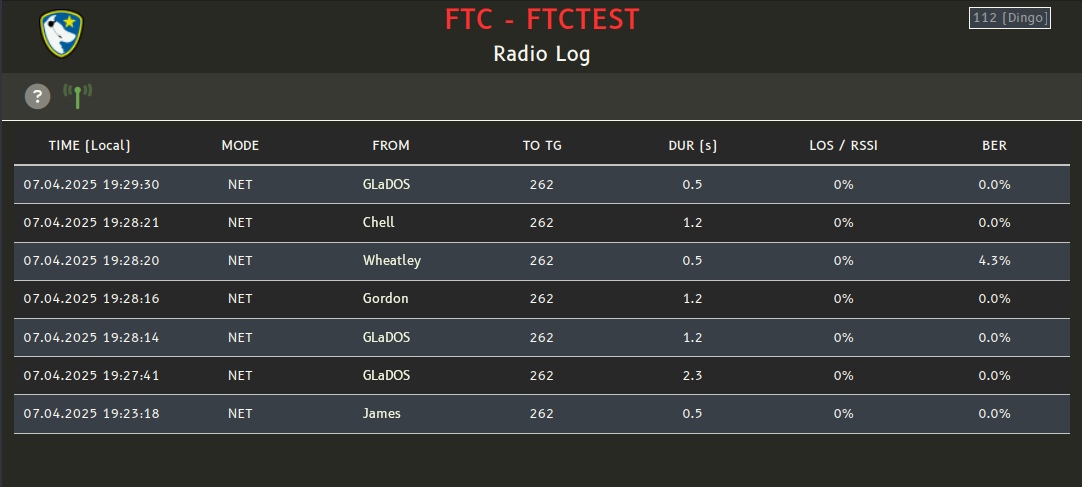
The Radio Log is a module, which can be called by pressing F8 anywhere in L.A.S.S.I.E.. It will be available if L.A.S.S.I.E. is connected to a Pi-Star with pistarlog2ws installed (green antenna symbol) and subsequently show the DMR radio traffic.
Pi-Star
Installation
Pi-Star has to be installed on a Raspberry Pi (Zero) with a MMDVM HAT. A non-duplex MMDVM HAT is fully sufficient since Pi-Star only can monitor one single frequency and sending is not something this setup is expected to do. See https://www.pistar.uk/downloads/ for download and installation instructions.
The SD card for the Raspberry Pi will be flashed using Raspberry Pi Imager. During the process, you will be asked if you like to apply OS customization settings. You can change the hostname, wireless LAN and locale settings here. Do not set username and password, or anything in the Services or Options tab!
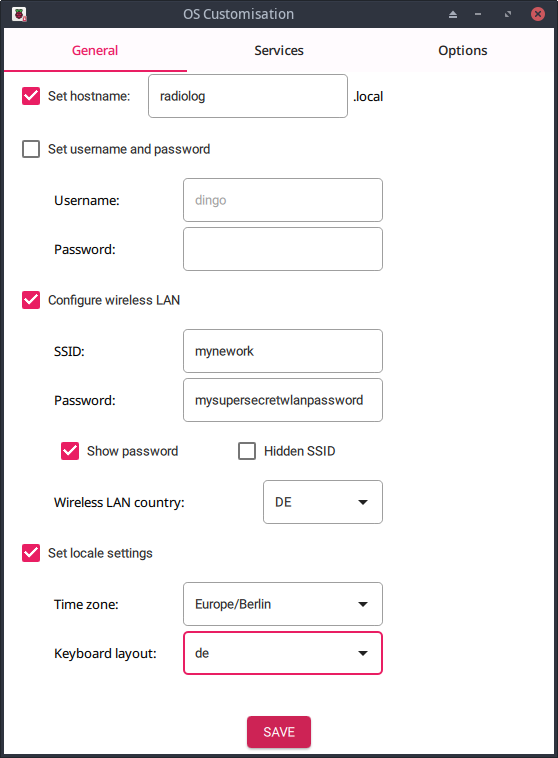
After flashing and booting the Raspberry from the SD card, you should be able to access the Pi-Star webinterface via browser at e.g. http://radiolog.local/admin/
Default Username: pi-star
Default Password: raspberry
Configuration
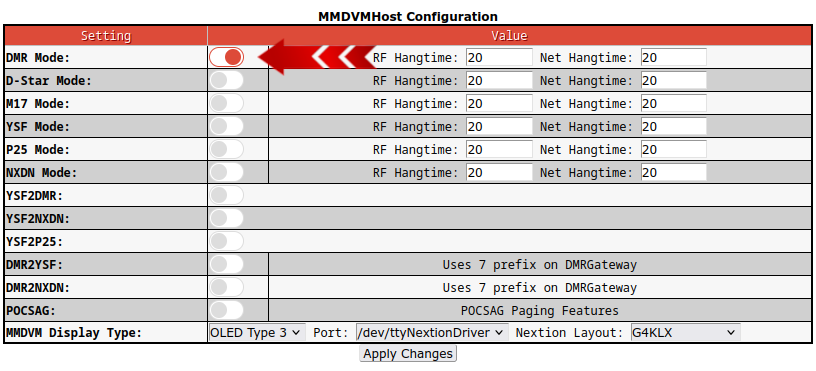
After installing Pi-Star, the following configuration should be used for the Radio Log. First, in the “MMDVMHost Configuration” section the DMR Mode should be enabled. Please remember to press “Apply Changes” after changing every section.
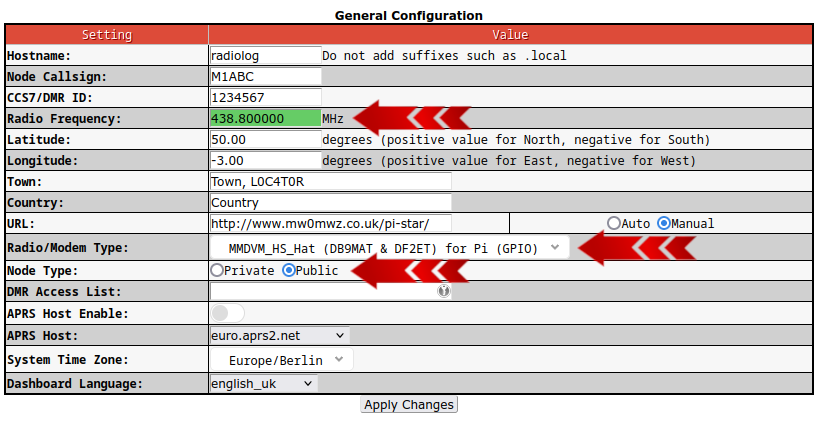
In the “General Configuration” section the Radio Frequency has to be set to the output frequency of your DMR repeater. Also the correct Radio/Modem Type has to be selected, depending on the MMDVM HAT used, and the Node Type has to be set to “Public”.
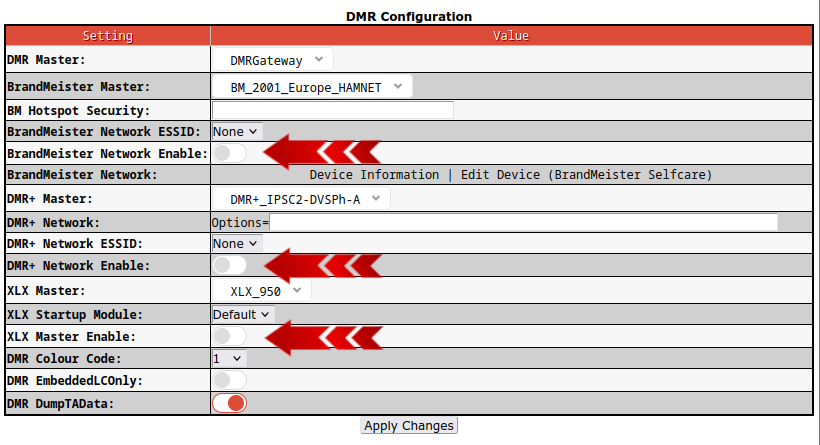
In the “DMR Configuration” section it is imperative to disable all three Networks. We don't want to have the Radio Log Pi-Star send out our private DMR communication to the world after all.
In the “Wireless Configuration”, the IP address of the Pi-Star acquired by DHCP is shown. This IP address has to be configured as “IP for a FurCom Services Radio Log system” in L.A.S.S.I.E. (System Settings → General Settings).

For the configuration to be completed and usable, you should change the default password to something more secure. Please remember the password!
